The New Online-Casinos.com News and Guides
 by Scott Lawson,
28 May 2019
by Scott Lawson,
28 May 2019
Whatever you’re interested in, we offer reviews of it. Be it the best online casinos. Or something more specific like the best casino offers or the top slots casinos or if you’re wondering if the US online casinos are legal. So please feel free to look around. We’re confident in that we’ve got all topics covered, whatever your primary interest is.
What’s Changed Otherwise
Of course, you can immediately see that we’ve changed a lot from the old website you knew. Based on reader feedback, we’ve reconstructed Online-Casinos.com with a brand-new visage but that’s not all. We’ve also increased our journalistic standards and brought some new faces into our team that specialize in various aspects of the industry. Altogether, we’re able to better deliver on our promise to be the leading source of gambling information on the internet. For a reminder of what’s changed, here is a look back:
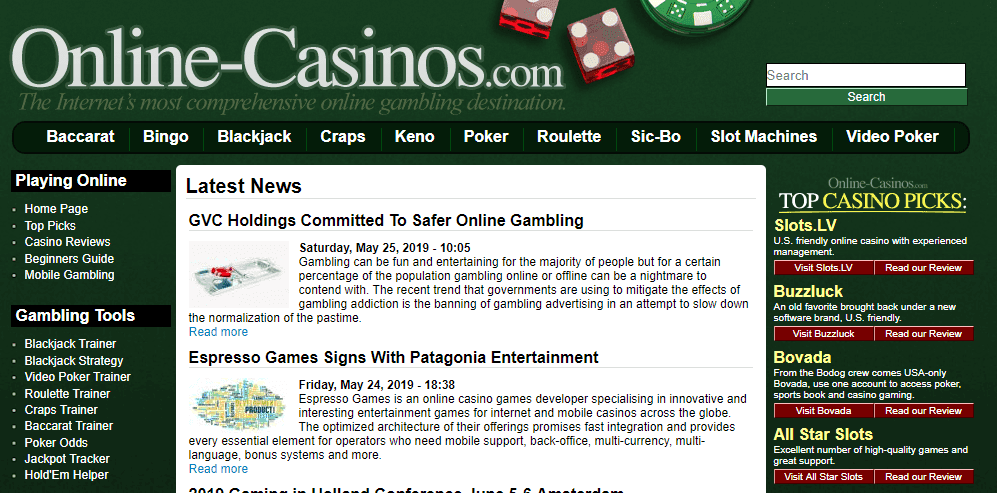 Our new layout and design has been developed with you in mind, with more opportunities to give you all of the best expert advice and latest information from around the globe. This will make it easier for you to find what you’re looking for and maybe something you didn’t expect, too.
Introducting: Updated News Section
We’ve overhauled our casino news pages to give you a better user experience, meaning you’re able to better sort through the information in five new categories: Casino, Poker, Society, Industry and Sports. We’ve put our dedicated team of journalists to the task of staying on top of the breaking headlines and sharing the latest industry updates with you in an unbiased and informational style that is easy to read and understand, with facts that are relevant to your gambling interests. Check out the latest news here:
Introducing: A New Promo Bonus Section
The constantly evolving online casino industry can be hard to stay on top of, and no topic is more changeable than that of the promotions. Understanding that bonus offers can be a huge drawcard for new players, and for keeping existing ones, many online casinos continually update their promotions or have seasonal bonuses that only last for a limited amount time. This is fantastic for the players, but it is very difficult to check through the thousands of operators every day to see what the latest deals are.
Introducing: A New Blog
Our new online blog is a hub for interesting and exciting casino- and gambling-related articles from around the globe. This wide and varied industry is so well loved not only for its exciting potential to turn lucky punters into millionaires, but also for its ability to appeal to players of all kinds. Our blog aims to cover some of the more unique aspects to the global gambling industry, from the latest betting trends to the most interesting themed casinos out there.
Take a Look Around the New Site
If you’ve ended up on this page, it may be because the article you were looking for was out of date and has been removed. Don’t worry, there is plenty of other fantastic information here, so feel free to cast an eye about there will undoubtedly be a topic to capture your interest. We look forward to hopefully serving you in exactly the way you need. And otherwise, we’re more than happy to receive your input at contact@online-casinos.com as to what we can do better for you.
 Why Smaller Casinos Are Still Worth Joining
 Taking Advantage of Seasonal Online Casino Promotions
 The Top New Online Slots in May 2026
 Flat Racing’s 2026 Turf Season: Six Horses That Could Shine