How to Register at an Online Casino in Canada
 Written by Angelina Vodenicharova
Gamblers Anonymous eCOGRA
Table of Content
Article Summary
Written by Angelina Vodenicharova
Registering at an online casino is fast and simple – if you’re well prepared! Gather everything you might need before starting the registration process, and you’ll be able to sign up in a few minutes. You will need:
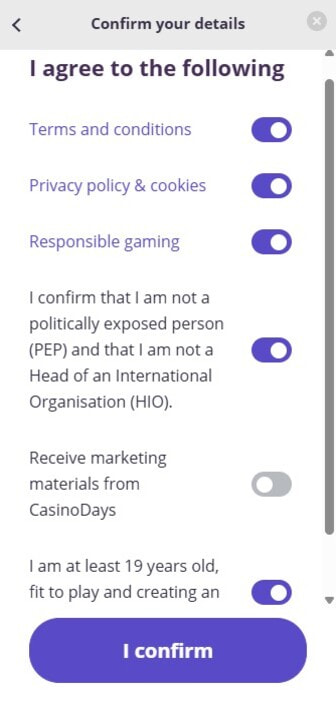
When creating a player account, you may not always be explicitly asked to confirm that you accept the casino’s terms and conditions. When testing and ranking the top online casinos in Canada, we noticed that not every site includes a checkbox for this during registration.
That said, by signing up you’re agreeing to them either way, so always read them before you start. They contain important information worth knowing.
“Casino T&Cs can be lengthy. I recommend you pay close attention to the fund protection policy and bonus terms, such as wagering requirements and payment restrictions.”
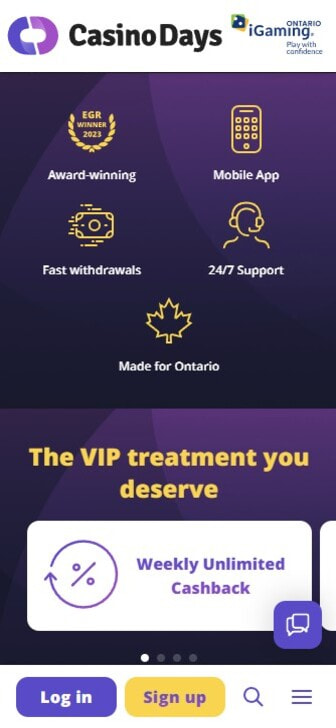
Open the casino’s homepage, and you’re just one click away from accessing the registration page. Look for the button labelled ‘join,’ ‘register,’ or ‘sign-up’. It’s usually prominently displayed at the top of the page.
Now it’s time to create a player account. You will use these details to sign in each time you play at the casino.
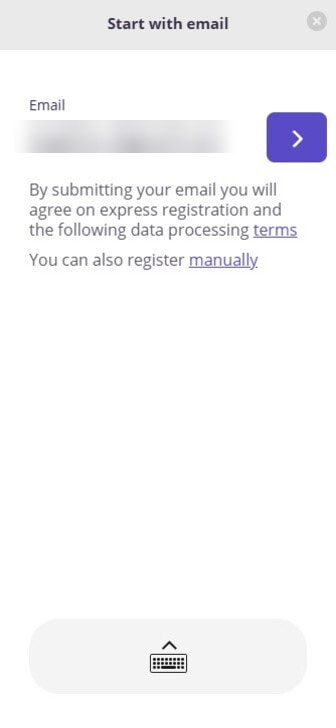
The required details may vary from casino to casino. For example, you’ll log in to some sites with your email address. At others, you’ll log in with a username. Of course, you’ll always need to choose a password. Here are the typical account details you’ll provide:
Next, add your personal information. The casino uses these details to verify your age and identity and confirm that you meet the legal gambling age, which is 18 or 19, depending on your province, before letting you play.
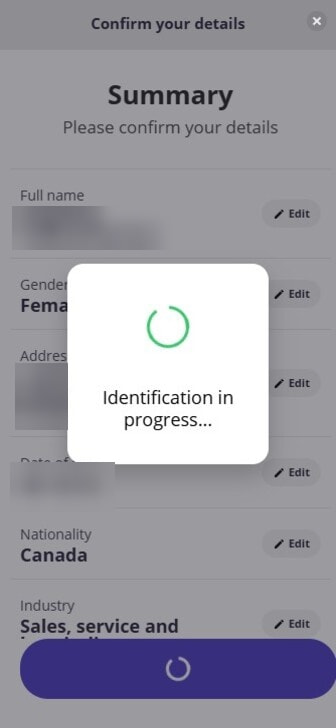
The specific details required can vary slightly from casino to casino. Your full name and date of birth are always mandatory. Here’s what you can expect to provide:
“Make sure you provide accurate information. Otherwise, you may encounter problems during Know Your Customer (KYC) verification and withdrawals. Your data should match your ID documents exactly.”
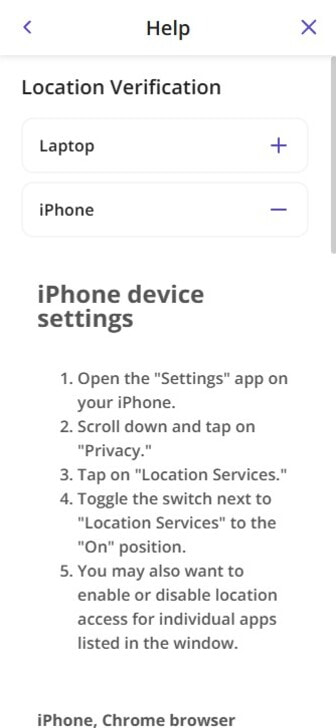
In Ontario, licensed casinos must confirm you’re physically inside the province before you can play. They do this using geolocation and geofencing technology built into your device.
During or right after registration, you’ll be asked to grant location permission. On a desktop, you may need to install a small geolocation plugin. Deny this permission, and you can’t access a regulated Ontario casino. Licensed offshore casinos used elsewhere in Canada typically don’t apply this province-level check.
Most online casinos will confirm that you have provided valid account details. For this, they will send an email or an SMS containing a verification link. Click the link to verify your account.
Some casinos skip this account verification stage. Even when verification is automatic, the casino will send you an email confirming your account has been successfully created.
“This tool provides a secure and convenient way to verify your identity. While video verification is not widely used at online casinos, I expect to see more sites implement it in their KYC checks.”
Under Canadian anti-money laundering rules (overseen by FINTRAC) and casino licensing requirements, online casinos must verify your age and identity before you can gamble. You’ll complete Know Your Customer (KYC) checks during sign-up or soon after.
These checks confirm that you’re of legal age (18 or 19, depending on your province), prevent fraud, and ensure that withdrawals are credited to the correct account owner.
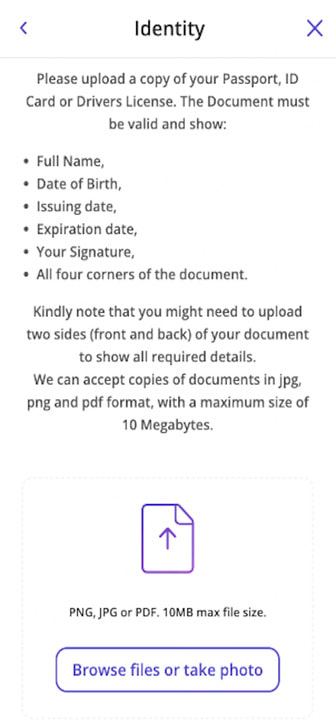
Casinos can often verify you electronically by matching your details against credit bureaus and public records databases. But even then, they might still request copies of documents such as:
“I recommend using your driver’s licence for KYC. A passport proves your identity, but a licence also confirms your address, killing two birds with one stone.”
Once registration is complete, you’ll get prompts to set up responsible gambling tools. In Ontario, regulated casinos must offer self-exclusion along with deposit, loss, wager, and time limits. Reputable offshore casinos offer similar tools.
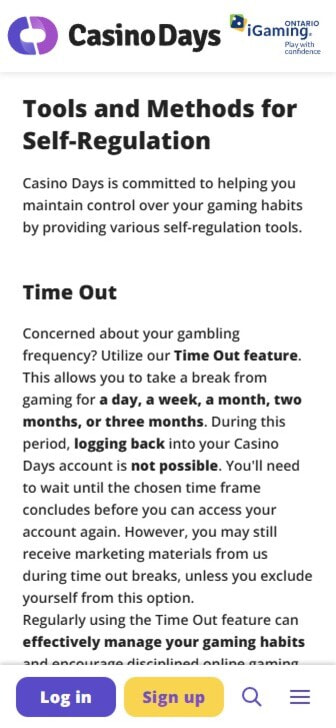
Using these tools is your choice, but we strongly recommend it. You can activate these options at any time from your account settings:
If gambling stops being fun, free and confidential help is available. In Ontario, contact ConnexOntario at 1-866-531-2600. Other provinces have their own problem gambling helplines.
Only Ontario currently runs a fully regulated online casino market, and Alberta launched its own on July 13, 2026. If you’re playing from another province, you’ll typically register at a licensed international (offshore) casino instead.
The sign-up process is much the same. The key difference is that offshore sites don’t run the province-level geolocation check used by regulated Ontario casinos.
Always pick a site with a valid licence from a recognized regulator. In Quebec, expect French-language options, as many operators serving the province provide French support.
After completing registration, you will usually be asked if you want to claim the casino’s welcome bonus. This is generally available when you make your first deposit. Check out our other guides for details on how to deposit, claim welcome bonuses, and more:
With a background in marketing, Angelina has a keen eye for emerging trends and stays ahead of the curve on the latest game releases and payment innovations. Her expertise extends to the growing world of gambling apps, where her tech-savviness allows her to offer valuable insights on optimizing gameplay.