How to Deposit at an Online Casino in Canada
 Written by Angelina Vodenicharova
Gamblers Anonymous eCOGRA
Table of Content
Article Summary
Written by Angelina Vodenicharova
You must create an online casino account before you can deposit. If you already have one, simply sign in.
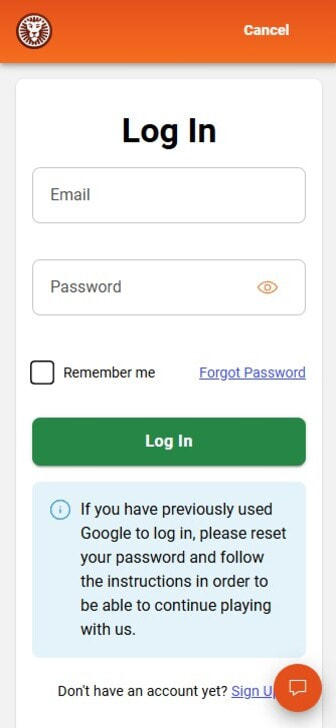
If you already have an account, log in with your email or username and password. Don’t have an account? No problem! You can follow our step-by-step guide on how to register at an online casino.
“Any regulated casino must verify your identity before you can deposit or play. That means handing over a copy of your government-issued ID and proof of address. It’s a legal step to stop fraud and money laundering, and it almost always happens when you register, not later. My tip is to have these details ready before you sign up, so your first deposit goes through without a holdup.”
The cashier page is usually displayed in the main menu. It may also be accessible from your account profile.
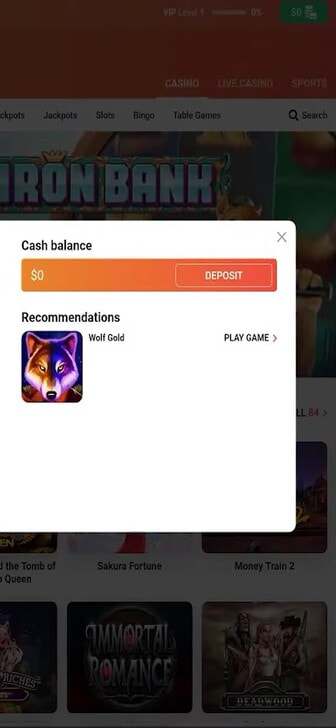
Different casinos use different names for the cashier page. Many sites also highlight the section in green to make it stand out on the page. Here are the names you may see:
Before you deposit, check the payment terms and conditions. Pay attention to deposit limits, currencies, and bonus eligibility.
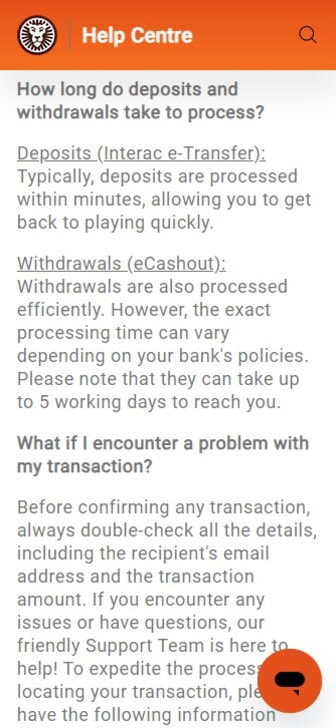
It’s also important to check for fees. These could be applied by the casino or by the payment processor. To avoid nasty surprises, make sure you’re aware of any extra charges before making your deposit.
“I advise you to watch out for deposit fees and bonus eligibility in the T&C. Remember, you could miss out on a bonus if you use a restricted payment method.”
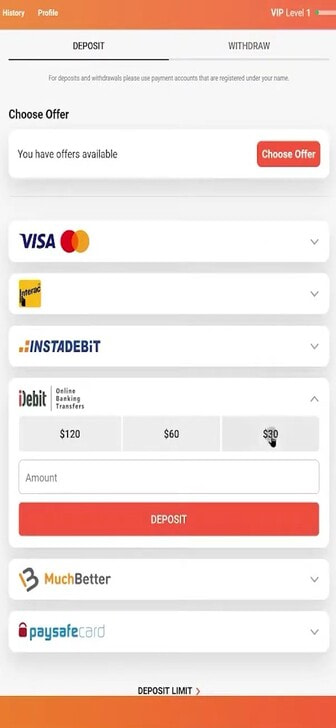
On the deposit page, you’ll see all available payment methods. Click on your preferred option.
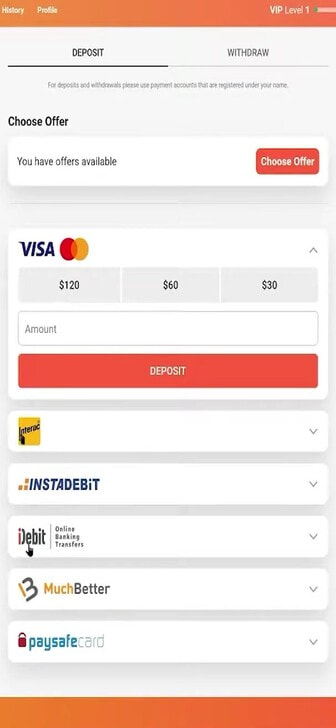
Heads Up! The payment options you’ll see may vary depending on your province, the casino’s rules, and your bank’s policies. This means the exact mix available to you won’t always match what someone in another province gets. Some banks also decline card payments to gambling sites, so a method that works for one player may not work for another.
The finer details vary, too, with options like Interac, PayPal, and MuchBetter that can come and go by casino. Because all of this changes over time and differs between online casinos, take the list below as a general guide rather than a guarantee.
The most reliable way to confirm what you can actually use is to open the Deposit page in your account. There, you’ll only see the approved and active methods for your province.
Select the amount you want to deposit. Make sure it falls within the minimum and maximum deposit limits.
We remind you to set a budget and gamble responsibly. At reputable online casinos in Canada, you can set deposit limits to help you stick to your budget and stay in control of your spending.
Once you’ve entered the deposit amount, you can confirm the payment.
For some payment methods, you will need to enter additional data before confirming the deposit. For example, when depositing by debit card, you must enter the card number, expiry date, and the 3-digit CVV code.
Certain payment methods and casinos require extra security steps to ensure your transactions are processed safely. If you haven’t already cleared identity checks at sign-up, you may see them here. The most common are:
Extra security steps may be required when making your first deposit with a payment method. They are also more likely when making large deposits.
Debit cards and bank transfers usually have the most verification steps. E-wallets generally have fewer additional security checks.
Online casinos have a duty to prevent money laundering and fraud. For these reasons, some deposits may require a Source of Funds verification.
SOF may be requested for abnormal deposits, such as making a much larger deposit than usual. To check that your source of funds is legitimate, a casino may require your bank statements.
Most online casino deposits are processed instantly. However, the transaction time might vary depending on the payment method. Once the processing time is complete, check your account balance.
| E-Wallets | Instant – A Few Minutes |
| Bank Transfers | Instant – 3 Business Days |
| Debit Cards | Instant – A Few Minutes |
| Prepaid Cards | Instant – A Few Minutes |
| Mobile Payments | Instant – A Few Minutes |
What happens if your deposit isn’t processed? You should contact the casino’s customer support. They will check the transaction and help resolve the issue.
If the problem lies with the payment processor, you should contact them directly. You could find that your bank may block payments to online casinos. They can explain why the payment was not processed and advise on the next steps to rectify the problem.
With a background in marketing, Angelina has a keen eye for emerging trends and stays ahead of the curve on the latest game releases and payment innovations. Her expertise extends to the growing world of gambling apps, where her tech-savviness allows her to offer valuable insights on optimizing gameplay.
Want to learn more? Check out our other guides for step-by-step help with withdrawing, claiming bonuses, managing your money, and more: